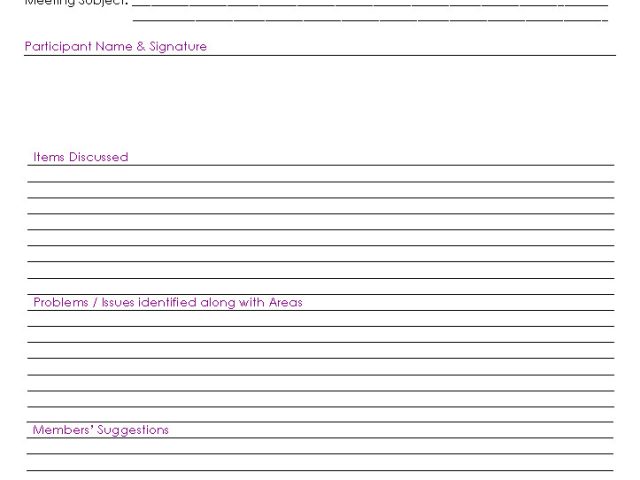
Too many safety professionals waste time formatting disorganized notes instead of delivering impactful safety messages. A poorly structured toolbox talk format leads to inconsistent content, missing signatures, and compliance gaps. The solution? A well-designed Excel-based template that standardizes delivery, streamlines documentation, and integrates into daily workflows.
Excel isn’t just for numbers—it’s a powerful tool for creating repeatable, trackable safety processes. When built correctly, an Excel-based toolbox talk format improves accountability, supports OSHA audits, and ensures every team member receives critical safety updates.
This guide breaks down how to structure, customize, and deploy an effective toolbox talk format in Excel—complete with best practices, common pitfalls, and real-use examples.
What Should a Toolbox Talk Format in Excel Include?
A successful Excel-based toolbox talk template isn’t just a blank spreadsheet. It must include structured sections that capture essential safety data while remaining easy to use in the field. Here’s what every template should contain:
1. Header Section
- Company Name & Logo – Ensures brand consistency and professional appearance.
- Topic of the Day – Clearly states the focus (e.g., "Fall Protection," "Ladder Safety").
- Date & Location – Critical for audit trails and incident investigations.
- Facilitator Name – Identifies who led the session.
2. Core Discussion Points Break down the topic into 3–5 key talking points. Use bullet columns so facilitators don’t miss critical steps. For example: - Hazard identification - Control measures - Emergency response steps - PPE requirements
3. Attendance & Sign-Off Sheet Include columns for:
- Employee name
- Signature (printed or digital)
- Job role
This proves participation—essential for compliance.
4. Action Items & Follow-Ups Track unresolved issues:
- Issue description
- Responsible person
- Due date
- Status (open/closed)
5. Version Control & Notes Add a small footer
with:
- Template version number
- Last updated date
- Notes field for observations
Without these components, your Excel format risks becoming just another unstructured document that gets ignored.
How to Build a Custom Toolbox Talk Template in Excel
Creating your own template gives you full control over layout, branding, and workflow alignment. Follow this step-by-step process:
Step 1: Set Up the Workbook Structure Use separate sheets within one workbook: - Sheet 1: Master Template – The clean, reusable version. - Sheet 2: Monthly Archive – Stores completed talks. - Sheet 3: Action Tracker – Logs recurring issues.
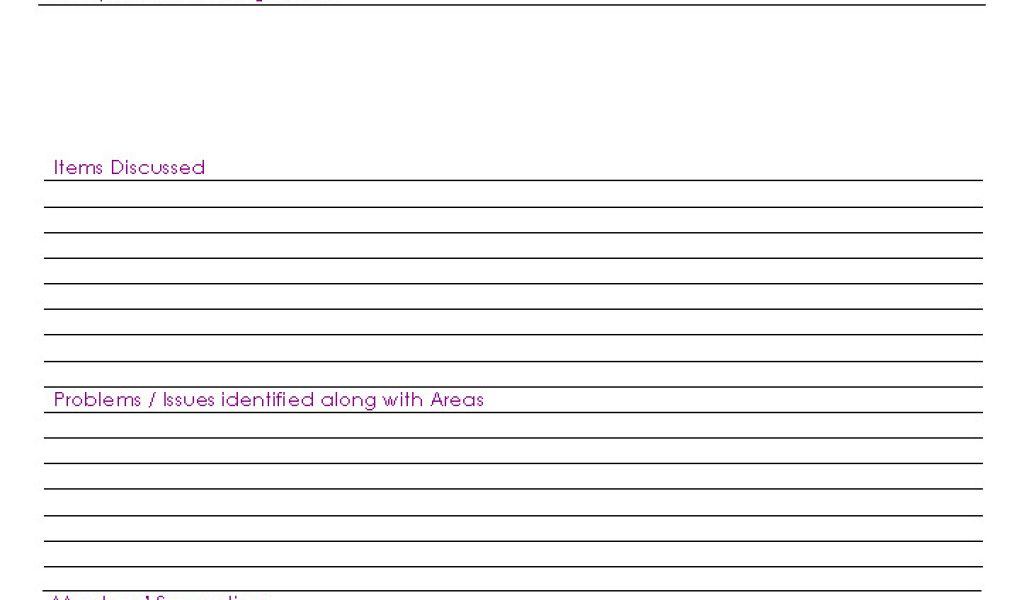
Protect the master template to prevent accidental edits.
Step 2: Design for Mobile Use
Many safety leads use tablets or phones on-site. Optimize your Excel format with: - Large, readable fonts (11pt minimum) - Frozen header rows for scrolling - Minimal color use (avoid red/green for colorblind users) - Landscape orientation for wider fields
Step 3: Automate Where Possible Use simple Excel functions to reduce manual work: - =TODAY() for automatic date insertion - Data validation dropdowns for topics and roles - Conditional formatting to highlight overdue action items
For example, use this rule: excel =AND(E2<TODAY(), F2="Open")
This highlights overdue actions in red automatically.
Step 4: Enable Digital Signatures
While Excel doesn’t support true e-signatures, you can: - Use a printed name + “/e/” notation (e.g., /e/ John Smith) - Link to a SharePoint or Teams folder where employees confirm attendance
Alternatively, export to PDF and use Adobe Sign or DocuSign.
Top 5 Free Excel Toolbox Talk Templates (Compared)
Choosing the right starting point saves hours. Here are five reliable free template sources—each suited to different needs:
| Template Source | Best For | Key Features | Limitations |
|---|---|---|---|
| OSHA.gov Sample | Compliance-first teams | Aligns with OSHA guidelines, minimal design | No formatting, basic layout |
| SafetyCulture (iAuditor) | Mobile users | Exportable Excel reports, cloud sync | Requires app usage first |
| Template.net | Quick deployment | Pre-filled examples, branded designs | Ads, limited customization |
| Vertex42 | Data tracking | Built-in charts, automated summaries | Overly complex for small teams |
| Custom Excel Templates (via Reddit r/safetyprofessionals) | Field-tested use | Real-world formatting, peer-reviewed | Inconsistent formatting |
Pro Tip: Download multiple, then merge the best elements into your own master version. Avoid using off-the-shelf templates without reviewing them for your specific hazards and workflow.
Common Mistakes That Undermine Excel-Based Toolbox Talks
Even well-designed templates fail when misused. Watch for these red flags:
❌ Copy-Pasting the Same Content Weekly Repeating “PPE is important” without addressing current site conditions turns toolbox talks into check-the-box exercises. Use Excel’s flexibility to rotate topics based on: - Recent near-misses - Seasonal risks (e.g., heat stress in summer) - New equipment arrivals
❌ Ignoring Accessibility If your site crew can’t read the text on a tablet in direct sunlight, the format doesn’t work. Always test printouts and mobile views.
❌ No Integration with Wider Safety Systems Your Excel tracker should feed into: - Monthly safety reports - Training matrices - Incident investigation files
If it lives in isolation, you lose valuable trend data.
❌ Forgetting to Archive Properly Never overwrite last week’s talk. Use file naming:
ToolboxTalk_LadderSafety_2025-04-05.xlsx
Or use the monthly archive sheet with row filters.
Real-World Use Case: Construction Site Fall Protection Talk
Here’s how a structured Excel format improves outcomes:
Scenario: A high-rise construction team conducts weekly talks. One week, the topic is fall protection for exterior work.
Template in Action: - Header shows project name, date, and lead supervisor. - Discussion points cover: harness inspection, anchor points, rescue plan. - Attendance sheet confirms all 14 ironworkers signed in. - Action item logged: “One harness shows frayed stitching—remove from service.” - Follow-up assigned to safety coordinator with 24-hour deadline.
Result: - Harness is pulled before the next shift. - OSHA auditor later reviews the Excel log—clear documentation satisfies compliance. - Team engagement improves because talk addressed real, visible hazards.
Without the structured Excel format, this detail might have been lost in a handwritten note.
When Excel Isn’t Enough: Signs You Need an Upgrade
Excel works for most small to mid-sized operations. But watch for these signs that it’s time to consider dedicated software:
- Multiple sites with real-time reporting needs
- Language barriers requiring multilingual templates
- Regulatory pressure demanding audit-ready digital records
- Leadership wants dashboards showing talk completion rates
In these cases, tools like SafetyCulture, Procore, or Frontline can integrate with Excel exports but offer deeper functionality.
Still, Excel remains the fastest, most accessible entry point—especially when starting or managing limited budgets.
Final Tip: Make It a Living Document
The best toolbox talk format in Excel isn’t static. Revisit it quarterly: - Ask field teams for feedback: “Is this easy to use?” - Add new hazard categories as projects evolve - Update contact lists and emergency numbers - Share top-performing weeks in safety meetings
A template that evolves with your team becomes more than paperwork—it becomes part of your safety culture.
Download a starter template, customize it with your logo and common topics, and deploy it next week. Consistency beats perfection.
Action Steps:
- Choose one free template from the list above.
- Customize headers and core sections.
- Test it with one crew.
- Collect feedback and refine.
- Roll out company-wide.
Done right, your Excel-based toolbox talk format becomes a quiet powerhouse of safety excellence—simple, scalable, and fully under your control.
FAQ
What should you look for in Toolbox Talk Format Excel: Free Templates & Best Practices? Focus on relevance, practical value, and how well the solution matches real user intent.
Is Toolbox Talk Format Excel: Free Templates & Best Practices suitable for beginners? That depends on the workflow, but a clear step-by-step approach usually makes it easier to start.
How do you compare options around Toolbox Talk Format Excel: Free Templates & Best Practices? Compare features, trust signals, limitations, pricing, and ease of implementation.
What mistakes should you avoid? Avoid generic choices, weak validation, and decisions based only on marketing claims.
What is the next best step? Shortlist the most relevant options, validate them quickly, and refine from real-world results.